
Make the purchase order the agreement record
A jewelry purchase order should let a buyer and supplier point to the same exact lines without reopening a catalog, searching old messages, or guessing which photograph was intended. The useful standard is simple: every orderable variant has its own identity, quantity, unit, price basis, and status; every image is tied to a named line; and every unresolved field remains visibly unresolved until both sides confirm it.
This document has a narrower job than two related records. A seller's jewelry line sheet presents the offer and helps a buyer compare products. A purchase order records what the buyer proposes to buy and what the supplier confirms. Later, an incoming jewelry inspection records what physically arrived. Do not ask one file to perform all three jobs.
Start with a header that identifies this transaction
Before line items, give the order a stable header. Include the buyer's PO number, supplier name, buyer and supplier contact, order date, destination, currency, and the version date of the document. Add requested timing, payment terms, shipping terms, and cancellation or change conditions only when they have been supplied or agreed. If a term is still under discussion, label it “unresolved” rather than copying a value from a previous order.
Shopify's current purchase-order documentation separates a draft from an ordered record and recommends waiting for supplier confirmation before changing the status. The same discipline works in a spreadsheet or PDF: use a visible state such as draft for supplier review, buyer revision, or supplier-confirmed. Never let a filename like PO-final.pdf carry the entire status.
A practical header checklist is:
- PO number and revision number
- Buyer and supplier legal or trading names as used for the order
- Primary contacts and the channel used for confirmation
- Ship-to location and billing information
- Currency and price basis
- Requested timing and any confirmed shipping method
- Document state and confirmation date
Give every variant a complete line identity
“Twelve earrings” is not a complete line. It could mean twelve single pieces, twelve pairs, or twelve mixed selling units. It also leaves color and fastening open. Create one row for each exact option combination, even when several rows share a product name.
| Line field | Required entry | Why it matters |
|---|---|---|
| Buyer line ID | A stable row number | Lets both parties discuss one line without ambiguity. |
| Product and option | Exact product title plus color, size, fastening, or set choice | Prevents a parent title from standing in for a variant. |
| Buyer and supplier codes | SKU, supplier SKU, barcode, or “not provided” | Creates a cross-reference when naming systems differ. |
| Selling unit | Piece, pair, set, card, or box | Makes quantity and price multiplication auditable. |
| Quantity | Number of that selling unit | Separates a total order count from the exact variant split. |
| Unit price and line value | Confirmed currency and calculation | Exposes arithmetic or price-version differences. |
| Image reference | Filename or URL plus view label | Shows which visual record belongs to the line. |
| Open fields | Explicit questions or “none” | Stops silence from becoming assumed approval. |
When comparing a supplier or marketplace export with your PO, check whether it includes the PO number, product name, image reference, option, SKU or GTIN, quantity, and price. Your own PO does not need to copy a marketplace format, but it should preserve enough identity to reconcile with supplier and inventory records later.
Use images as referenced evidence, not as hidden specifications
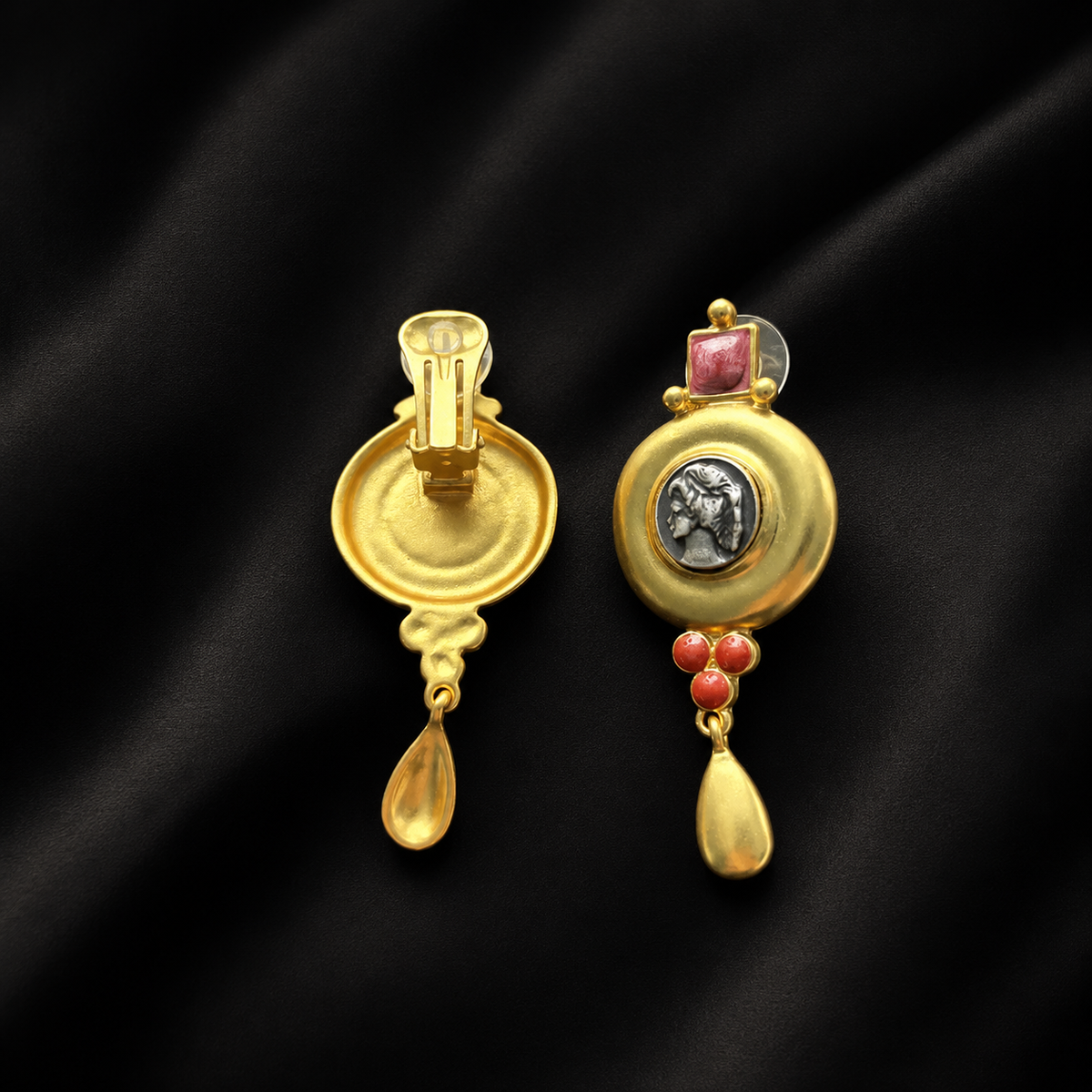
A photograph can distinguish a floral front from a geometric front, or one color direction from another. It may not show the back, fastening, scale, pair quantity, or exact variation. Place an image reference beside the line, then state what that image is expected to confirm. For example: “front motif and color placement only; fastening must match the named Clip-On option.”

If the PO says Stud but the referenced image shows a clip-on back, do not quietly choose one. Flag a conflict: “Line 04 option says Stud; image reference shows Clip-On; supplier to confirm correct option and image.” The answer should change the PO revision, not remain buried in a chat thread.
Run a line-by-line confirmation exercise
Consider a hypothetical three-line order. The buyer wants six pairs of Style North in gold-tone with a stud option, four pairs of Style East in silver-tone with a clip-on option, and two coordinated sets under Style South. Before sending, the buyer checks:
- Identity: each row has a distinct buyer line ID and the supplier's exact product or variant code where available.
- Unit: North and East are priced per pair; South is priced per set. The quantities are 6 pairs, 4 pairs, and 2 sets—not an unexplained total of 12.
- Images: North has a front image only, so the stud back remains an unresolved photo request. East has front and back references. South has one image showing the complete set and a written included-piece count.
- Math: each line value equals quantity times the confirmed unit price in the named currency.
- Exceptions: requested timing, packaging, and any substitution permission are written as confirmed values or open questions.
The PO can be sent for review with an exception box: “Please confirm Line 01 stud fastening and provide a back-view reference; confirm that Line 03 contains the listed pieces; no color, fastening, or product substitution without buyer approval.” That box is more useful than a general note saying “please check order.”
Reconcile the supplier confirmation before marking the order final
Compare the supplier's order confirmation against the PO one field at a time. Do not check only the grand total. Review PO number, revision, variant names, codes, selling units, quantities, unit prices, line values, currency, requested timing, destination, and each unresolved question. Complete that review before treating the order as supplier-confirmed.
Record any difference in a short reconciliation table with four columns: PO field, buyer value, supplier value, and resolution. A missing answer is not a match. If the supplier has combined variants into one line, ask for a confirmed split or attach an agreed allocation schedule. If a product is unavailable, record the line as removed, backordered, or replaced only after the buyer makes that decision.
Use the current Rustic Jewel Co catalog to capture exact public product names and options when preparing an inquiry, but recheck current availability at decision time. For a current commercial conversation, send the completed requirement summary through the wholesale and private client inquiry route. A prepared PO is not evidence that an order was accepted, shipped, received, or added to available inventory.