
Give the viewer a sequence they can follow
A truthful live jewelry demonstration shows one identified item in a predictable order: complete front, included pieces, back and closure, side profile, measured scale, and any condition detail that matters. Viewers should not have to infer the fastening from the title or guess whether a second earring is included because it appeared briefly at the edge of the screen.
Plan the demonstration before the show rather than relying on improvisation. Put the product record beside the presentation tray and separate documented facts from styling suggestions. A clear sequence is useful even when the audience is small; its purpose is understandable product information, not a promise of sales.
The live camera and the listing must describe the same object. Whatnot's product listing guide distinguishes listing formats and product information. Whatever platform you use, treat its current requirements as separate from this practical demonstration plan.
Match the tray position to the item record
Give each presentation position a simple internal number and match it to the exact item or variant. Keep a card with the name, included quantity, closure description, known measurements, and specific unresolved fields. Use neutral working labels; do not shorten a name in a way that turns pearl-style into pearl or gold-tone into gold.
Have separate spaces for waiting, currently shown, and completed items. Move the entire pair or set together when the demonstration finishes. A loose earring left beside the next product can create a confusing visual even if your spoken description is correct.
Before going live, ask another person to select an item from its record and place it in the matching position. If they hesitate between two colors or fastenings, improve the label. This rehearsal tests the system before an audience sees the ambiguity.
Rehearse six camera beats without rushing
| Beat | Show | Say |
|---|---|---|
| Identity | Whole item against a quiet background | The exact name and selected option |
| Contents | Both earrings or every set component | What one purchase includes |
| Attachment | Back with fingers out of the way | The documented closure type |
| Profile | Side and ordinary hanging position | Where the decorative structure projects |
| Scale | Readable ruler beside the piece | Measurement scope and units |
| Detail | Relevant close-up held steady | Specific condition or unanswered information |
Hold each view long enough for the image to settle. Check the viewer-facing preview rather than assuming the camera sees what you see. Bring the object back into focus by changing distance if necessary. Moving it rapidly toward the lens often gives viewers a larger blur rather than more detail.
Use a ruler on the same plane as the item for scale. If you also hold it beside a hand or display form, explain that this is visual context, not a standardized measurement. Do not announce a measurement until you can actually read it.
Demonstrate movement without performing a stress test

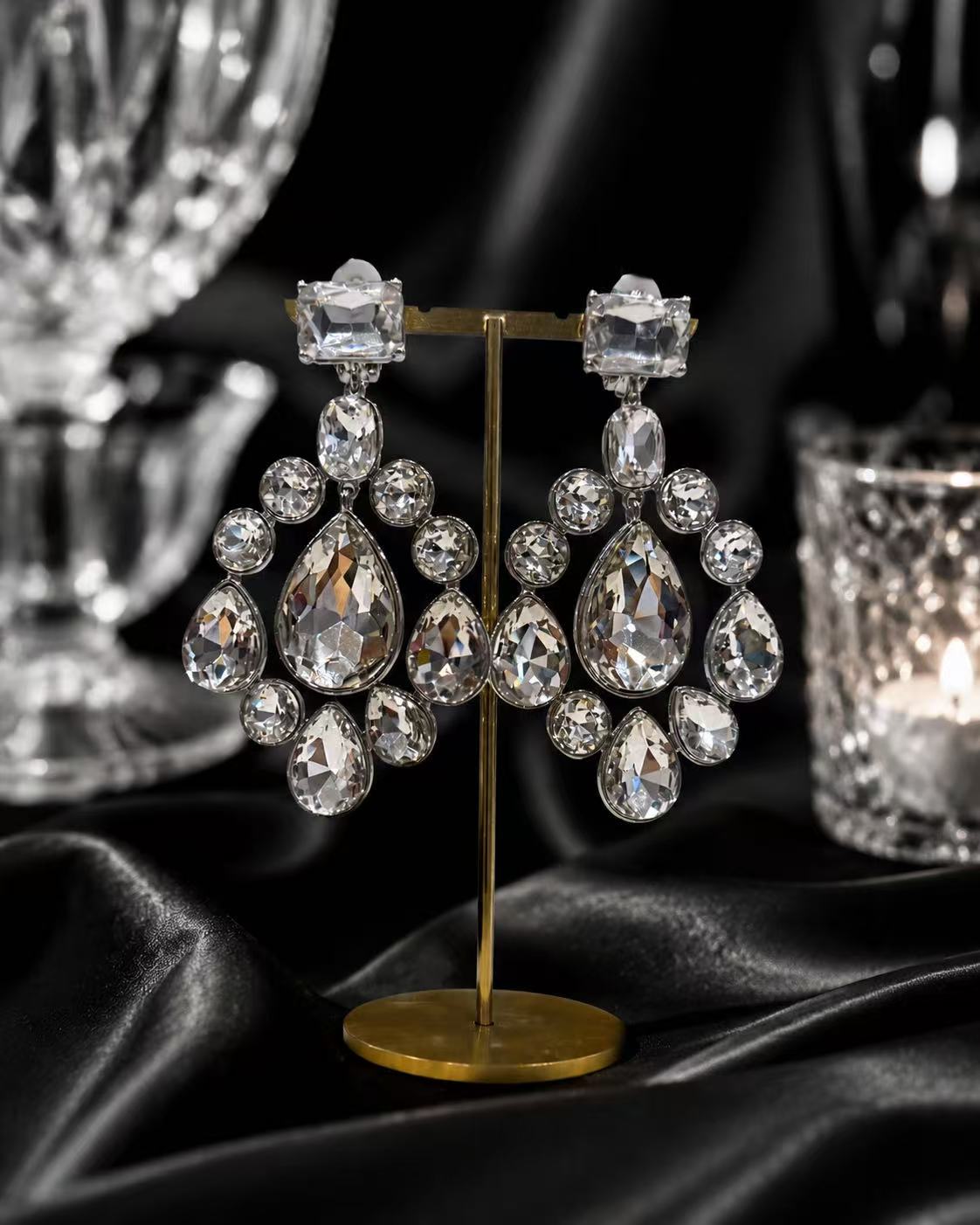
The pictured product is described as one pair with clip-on fastening. In a demonstration of this design, showing the whole pair establishes quantity, while the back view establishes what the selected fastening looks like. The front's layered arrangement cannot answer both questions on its own.
Let a hanging piece settle naturally. A small, slow change in position can reveal movement without flicking, shaking, or pulling it. If the intended closure operation is understood and appropriate to demonstrate, operate it gently. Stop if there is resistance or apparent damage rather than turning the show into an adjustment tutorial.
Use a separate display or demonstration item if your own selling process calls for one, and identify that distinction accurately. Do not imply that a viewer is seeing their exact individual unit when the camera is showing only a representative sample.
Prepare short answers for uncertainty and corrections
Write unresolved facts as specific blanks on the item card. Examples include weight not measured, back image missing for this option, or decorative accent composition not documented. These flags help you answer directly without repeating a vague disclaimer through the whole demonstration.
A useful response is: “The listing describes this as crystal-style. I can show the faceted appearance, but I do not have a verified composition record.” Then return to the visible feature the viewer asked about. Avoid replacing an unavailable fact with a personal guess or a claim borrowed from another product.
If you misspeak, correct the exact statement promptly: “I said stud; this selected pair has clip-on fastenings. Here is the back view.” Check the linked listing as well. A spoken correction should not leave contradictory written information unaddressed in your actual selling workflow.
When the stream is interrupted, restart with the item identifier and contents, not halfway through the close-up. Someone returning after a connection problem needs to know which object is now on screen.
Use a replay to improve the next demonstration
Record a private rehearsal if your setup permits it. Watch once without sound: can you identify the quantity, back, profile, and scale? Then listen without watching: are product facts separated from suggestions? Each pass catches a different kind of omission.
Keep a short after-show note for presentation problems, such as ruler unreadable, fingers covered clip, or color option not named. These observations are about communication quality. They do not establish why an item sold or predict the next show's results.
For broader merchandising context, read the boutique buyer guide. If you need a focused jewelry selection for demonstrations, use Wholesale and Private Client Inquiries with the formats and categories you can present clearly. Build the show around what you can truthfully demonstrate.