
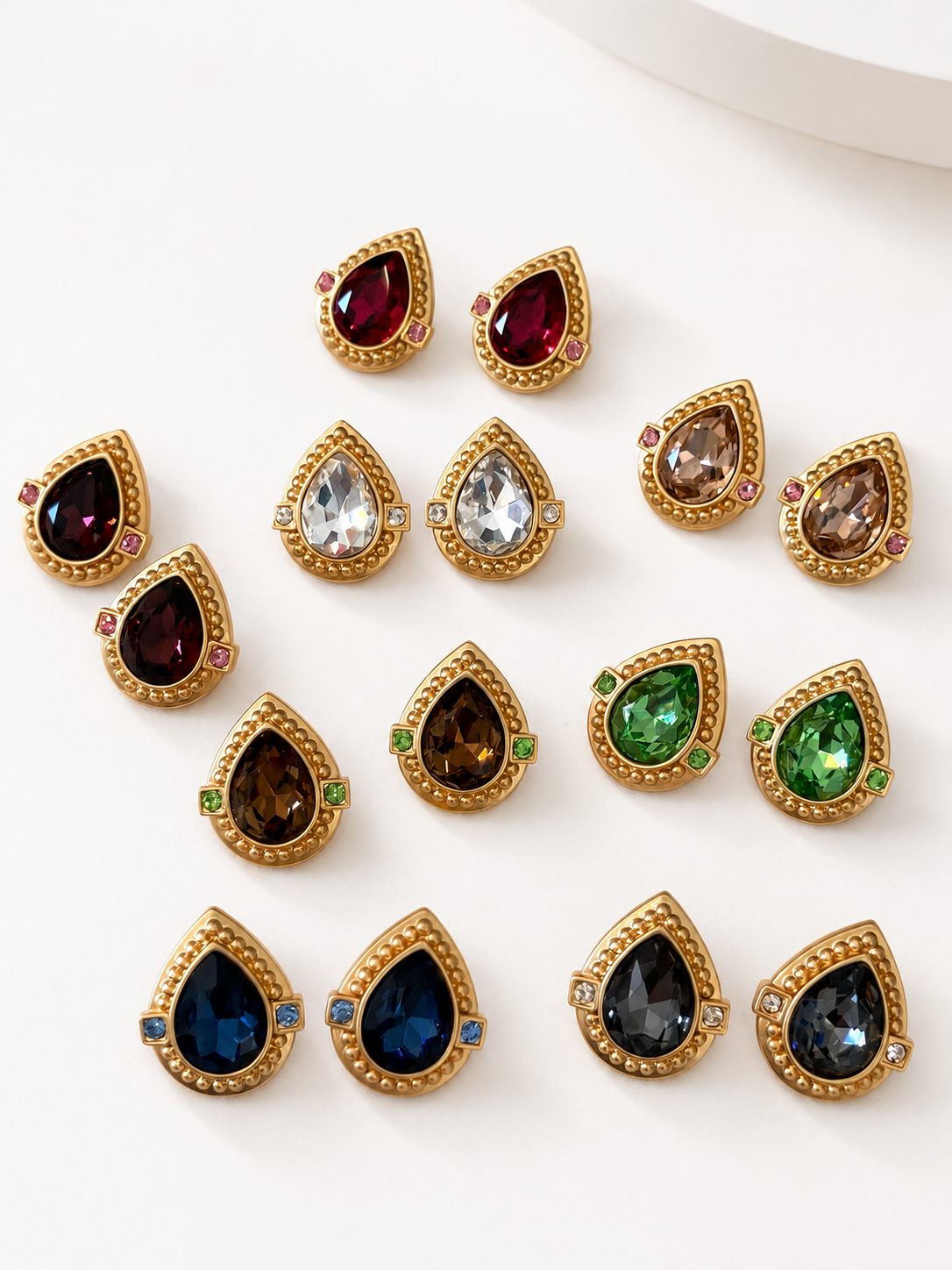
A jewelry photo should answer a specific question
To photograph statement jewelry with a phone, make a short sequence rather than one heavily edited hero image. Show what the buyer receives, how the piece is constructed, how far it projects, and how large it is. Give each photograph one job. A glittering front view can introduce a design beautifully, but it cannot substitute for a readable fastening or scale reference.
Work on one item or clearly identified variant at a time. Place its label outside the intended crop, with enough information to match the files later. Before changing products, finish the sequence and check it on screen. This is especially important when several earrings share a silhouette but differ in color or closure.
The goal is accurate communication, not making an inexpensive setup imitate an elaborate campaign. A quiet background and consistent framing leave you more time to notice a hidden post, cropped tassel, or missing second earring. Those are practical problems that extra sparkle will not solve.
Build a stable shooting area with ordinary materials
Use a flat table, a plain matte background, and a stable phone support. Begin with one soft light source, such as indirect window light. Turn off a nearby lamp if it creates a visibly different color cast. Move the setup out of direct glare rather than trying to brighten every reflection through editing.
Leave space around the jewelry for the camera and your hands. A broad piece needs a broad shooting area: the tips of a brooch should not hang over the background edge. Photograph projecting details without resting the whole object's weight on them. Use a holder designed for that category, or a supported flat position that leaves the construction visible.
Clean the phone lens with an appropriate lens cloth. For the jewelry itself, follow its specific care guidance rather than polishing simply for the photograph. A soft background can also introduce lint, so examine both the object and surrounding surface before each shot. Do not apply sprays, glue, or putty to an unverified finish to make it easier to stage.
Work through a five-shot evidence list
| Shot | Question answered | Common reshoot reason |
|---|---|---|
| Complete front | What objects and design are included? | One earring or a projecting tip is cropped |
| Back and fastening | How does this exact version attach? | A hand covers the post or clip |
| Side profile | How does the piece project? | Only the decorative face is sharp |
| Important detail | What does a buyer need to examine closely? | Glare hides an edge or visible condition issue |
| Measured scale | How large is the piece? | Ruler and jewelry sit at different depths |
For the scale image, place a readable ruler beside the piece in the same plane. Keep the phone reasonably square to that plane so perspective is not doing the measuring. State whether a measurement includes a hanging element. A hand can add context, but hand sizes vary; it should not be the only measurement aid.
For earrings sold as a pair, include both in the front image. A close-up of one is useful later in the sequence, once the quantity is established. For a set, photograph the complete included group before isolating individual components. Avoid props that could be mistaken for additional merchandise.
Fix focus and exposure before changing the jewelry
Tap the important area of the piece to set focus where your camera supports that control. If it remains blurry, move the phone slightly farther away and retest rather than continuing to enlarge a soft image. Stabilize the phone and use a short timer if touching the shutter moves it.
Watch the brightest decorative accents. When they become featureless white shapes, reduce exposure enough to reveal their boundaries, then check that the darker parts remain legible. Do not assume an unusually bright preview is a better photograph. On supported iPhones, Apple's camera setup instructions describe focus and exposure adjustment and locking; other phones may use different controls.
Use a simple three-question reshoot decision: is the important detail sharp, is it unobstructed, and can its edge be distinguished from the background? If any answer is no, change the setup before making cosmetic edits. A difficult side view may need its own focus position rather than the settings used for the front.
Keep the image connected to the exact variant

The product's color options make file discipline important. An image of the Clear option should not silently become the detail photograph for Dark Green. Name your own files with an internal item code, the verified option, and the view: for example, DEMO-14-clear-back. That code is an illustrative working label, not an RJC product identifier.
Make a handoff row for each variant: front file, back file, profile file, detail file, scale file, and any remaining gap. A missing back image stays visibly missing. Do not borrow one from another closure version merely because its decorative front looks identical.
Finish with an honest edit and a reader check
Crop distracting empty space while retaining the full outline. Straighten a tilted background where appropriate and make restrained exposure corrections. Preserve an original file so you can compare the result with what the camera captured. Do not remove wear, add missing accents, reshape a post, or use generated detail to replace information that was never photographed.
Open the final sequence at a normal phone viewing size. Can someone distinguish the two earrings, find the fastening, and read the ruler without guessing? Then zoom into the important detail once. If it falls apart under inspection, replace that shot rather than hiding the problem behind a smaller display.
Browse statement earrings to practice identifying which views a design needs, and explore the Journal for the styling questions that should remain separate from product evidence. A finished photo sequence makes the object understandable before it asks the viewer to imagine an outfit.